Welcome to our Summer 2026 production of Prince of Egypt! We’re excited to have you.
Please follow the instructions on this page in order. This will allow you to setup an account, pay for your production fees and save your information for materials fees and volunteer hours in the case that JuMP needs to charge for those expenses.
Production Fee:$125 (This will be charged at checkout). This is for cast members and dance troupe. $50 for youth choir participants.
Materials Fee: $50 (This will be charged to your saved card at the end of the production ONLY IF any materials are damaged or are missing.If any materials not belonging to you/ your student are damaged by you/your student, your Materials fee will be charged to cover the cost of repair or replacement of those materials. Materials may include, but are not limited to, scripts, costumes, accessories, sets, props and facilities.
Volunteer Hours & Fee: $100 (This will be charged in lieu of the 5-hour required volunteer hours for each family per student or pro-rated if the full 5 hours are unable to be fulfilled). This is in addition to the minimum of 1 chaperone volunteer night.
Checkout Steps
Click the Prince of Egypt Icon that takes you to the production fee page and add the appropriate production fee, or fees, to your cart. It will open in a new window so you can continue referencing these steps. If you have multiple kids in the production, add the corresponding amount of production fees.
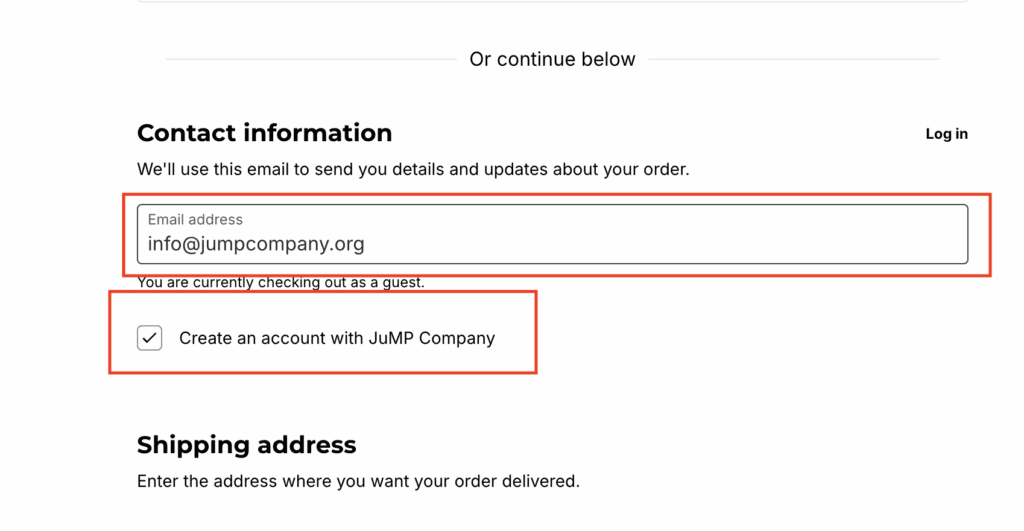
Continue to the checkout screen by clicking your cart icon at the top of the page. On the checkout screen, enter your e-mail address in the Contact Information section and check the box that says ‘Create an account with JuMP Company’.
If you’ve already created an account for previous shows, you do not need to create a new one, BUT MAKE SURE you sign in to your existing account before checking out.
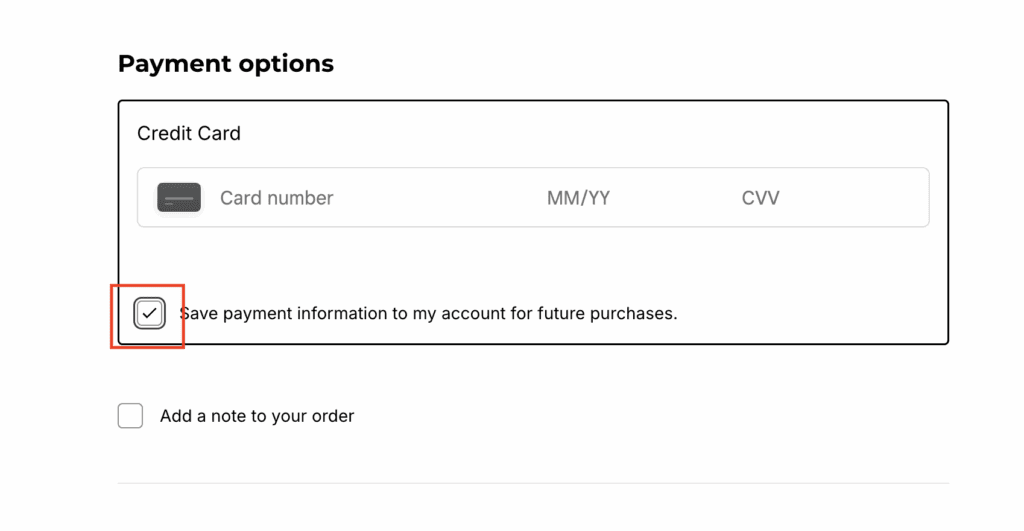
When you get to the credit card information section, make sure to check the box that says ‘Save payment information to my account for future purchases’. Your information is kept secure on Square’s servers.
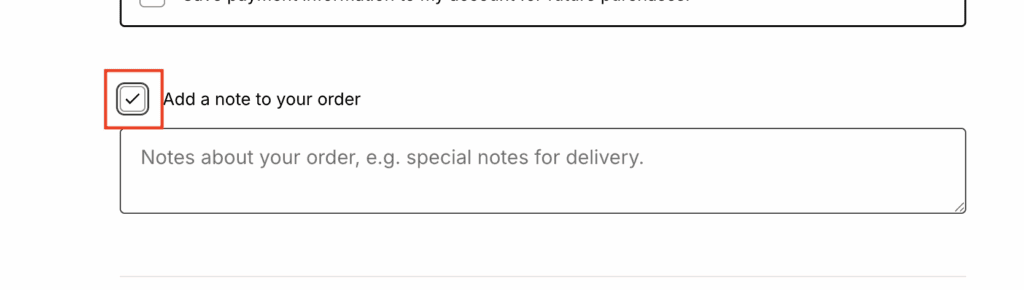
Below the checkbox for saving your payment information, check the box that says ‘Add a note to your order’. Type the name of your child or children in this box so we can properly allocate and associate your payment(s).
Complete your checkout process and you’re all set!
If you have any questions or run into any problems during the process, please reach out to info@jumpcompany.org and we’ll get back to you asap.